Yesterday while surfing on net I found a interesting freeware software "insight3d" which is a opensource image based 3 d software
About Insight3d:
You give it a series of photos of a real scene (e.g., of a building), it automatically matches them and then calculates positions in space from which each photo has been taken (plus camera’s optical parameters) along with a 3D pointcloud of the scene. You can then use insight3d’s modeling tools to create textured polygonal model.
Basically, it hopes to be "Photosynth + Canoma". Or "boujou + Imagemodeler". But it's also free and opensource (GNU AGPL 3). Check out the screenshots below or download it already.
Download insight 0.3.2:
* Windows Installer (.msi) – in some cases (probably not), it might be necessary to update your system by installing this
* Linux version – at this point, you can download a standalone archive, but it is necessary to follow the instructions in the README.txt file to compile it on your system
Be sure to read the tutorial!
Disclaimer: This software is intended for educational purposes. Potential users in countries that allow software patents must first investigate whether or not this software package uses any algorithms patented in their respective countries and if so, refrain from using it.
But I need help: there are tons of different digital cameras and I've tested my app only on few of them. insight3d should be able to handle all typical cameras, but there's some stuff in the optimization routines that has yet to be tweaked appropriately. Probably. It would be great if you could send me datasets you tried to feed into insight3d. Both the ones that worked and the ones that didn't are imporant! If you want, download the app, read the tutorial (there's important info on what photos should be used and where to eventually send them!), take some photos, have fun with it and please send it to me. Hope that it'll work for you, but don't hold your breath.
Feel fre to contact Developer on his Email ID
Wednesday, November 24, 2010

Download 100 Detailed Icons – Free Download Social Network Icon Pack
Komodo Media, a creative design company, is sharing one of the most complete social network icons named: Social Network Icon Pack.
It includes 100 items covering every popular social service you can think of from Flickr to Xing and Skype to Twitter. skillfully hand-hewn and lovingly crafted for you. I’ve developed over 100 refined, amazing social networking icons for the top networks around. They’re all the rage with you crazy newsk00l intarweb kids. Use them on your blogs. Put them on t-shirts, coffee mugs, your face-space or whatever.
It includes 100 items covering every popular social service you can think of from Flickr to Xing and Skype to Twitter. skillfully hand-hewn and lovingly crafted for you. I’ve developed over 100 refined, amazing social networking icons for the top networks around. They’re all the rage with you crazy newsk00l intarweb kids. Use them on your blogs. Put them on t-shirts, coffee mugs, your face-space or whatever.
SynthEyes 2011 Now Available!
SynthEyes™ is a camera Tracking and stabilization software application Developed by Andersson Technologies LLC.SynthEyes™ used for animated critter insertion, fixing shaky shots, virtual set extension,3D stereoscopic production, architectural previews, accident reconstruction, virtual product placement, face and body capture, and more.Here is the list of all new features.
You can Buy an New version or request for a demo, You can even subscribe new tutorials via our SynthEyesHQ YouTube channel regularly over the coming weeks. Follow our SynthEyesHQ Twitter channel for up-to-the-second information.
Source
You can Buy an New version or request for a demo, You can even subscribe new tutorials via our SynthEyesHQ YouTube channel regularly over the coming weeks. Follow our SynthEyesHQ Twitter channel for up-to-the-second information.
Source
Tuesday, November 23, 2010
Software Wondershare Video Studio Express Giveaway on 25 Nov for Everyone
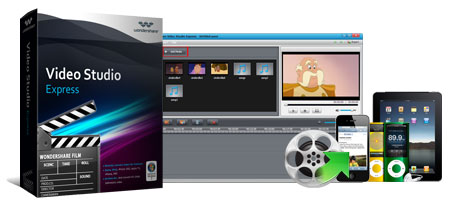
Wondershare video studio express is easy to use video editor software and even beginner can edit their video easily with this video editor software. Video studio express support for SD and HD video and the windows of the software work on Windows XP, Vista and Windows 7.
Wondershare will give away the video studio express windows version on 25th November, 2010, the free license software only available for one day. Price of the software is $35 for one user license but you can get the software for free on 25 Nov, 2010.
So everyone can get the software for free on 25 Nov, 2010 on Wondershare Website
Source:
A Special Thanks to XU(Springname) who is a Moderator of Tiliose Fan Club for sharing this with us.
Get Outpost Security Suite FREE: A Complete Secrity Suite
Recently Agnitum released Outpost Security Suite Free which is a first free complete Internet security software.
Agnitum is the first security vendor to deliver a fully functional free version of an Internet security suite for Windows users. Outpost Security Suite FREE 7.0 builds on the acclaimed antivirus, firewall and proactive protection technologies. The free solution employs modern techniques to prevent infections, data corruption and PC intrusions.
Features:
• Free virus curing
• Free anti-virus updates
• Lightweight suite
• Free personal firewall• Free spam protection
• Free cloud-based services (ImproveNet)
• Automated OS defence
Outpost FREE gives you:
• VB100 certified Antivirus
• Best-of-breed PC firewall
• Top-notch proactive protection
• Light-weight solution, no slowdowns
• Up-to-date technology — based on the latest Outpost 7.0
• Full compatibility with modern Windows (7, Vista, XP)
• Full compatibility for 64-bit Windows
Min. System requirements:
450 MHz CPU(x86-/x64-/multi-core),
256Mb RAM, 200Mb free disk space.
I personally used outpost pro firewall is it's impressive with lost of Features.its worth to give a try to the security suite .
Download
Agnitum is the first security vendor to deliver a fully functional free version of an Internet security suite for Windows users. Outpost Security Suite FREE 7.0 builds on the acclaimed antivirus, firewall and proactive protection technologies. The free solution employs modern techniques to prevent infections, data corruption and PC intrusions.
Features:
• Free virus curing
• Free anti-virus updates
• Lightweight suite
• Free personal firewall• Free spam protection
• Free cloud-based services (ImproveNet)
• Automated OS defence
Outpost FREE gives you:
• VB100 certified Antivirus
• Best-of-breed PC firewall
• Top-notch proactive protection
• Light-weight solution, no slowdowns
• Up-to-date technology — based on the latest Outpost 7.0
• Full compatibility with modern Windows (7, Vista, XP)
• Full compatibility for 64-bit Windows
Min. System requirements:
450 MHz CPU(x86-/x64-/multi-core),
256Mb RAM, 200Mb free disk space.
I personally used outpost pro firewall is it's impressive with lost of Features.its worth to give a try to the security suite .
Download
Friday, November 19, 2010
Genuine WinRAR Giveaway:for 5 lucky members
I am sure most of you knows about Winrar. those who don't here is small description of product.
RAR (WinRAR), the powerful archiver and archive manager (Win32, Linux, Mac) WinRAR is a powerful compression tool with many integrated additional functions to help you organize your compressed archives.
Our Friend (TehcGeek and Admin of Tiliose Fan Club Giving away 5 Genuine keys of Winrar to there members .So here is a great opportunity for you guys to get a copy of Genune Winrar 3.9x for your own .
To get a copy of Winrar Sign up to Tiliose and leave a comment there. Here is the Giveaway Page .
I would like to say thanks to Techgeek for the Giveaway .
Winrar Reviws
Download WinRAR (32-bit) 4.00 Beta 1
RAR (WinRAR), the powerful archiver and archive manager (Win32, Linux, Mac) WinRAR is a powerful compression tool with many integrated additional functions to help you organize your compressed archives.
Our Friend (TehcGeek and Admin of Tiliose Fan Club Giving away 5 Genuine keys of Winrar to there members .So here is a great opportunity for you guys to get a copy of Genune Winrar 3.9x for your own .
To get a copy of Winrar Sign up to Tiliose and leave a comment there. Here is the Giveaway Page .
I would like to say thanks to Techgeek for the Giveaway .
Winrar Reviws
Download WinRAR (32-bit) 4.00 Beta 1
Download PSDPhotoshop Magazine 10/2010 edition for free
Well I am a great fan of Adobe Photoshop, I love to learn a lots of things in photoshop , I always browse for Inspiration , Photo Manipulation, Image retouching techniques etc, Yesterday I when i was surfing on net I found that PSD Magazine offers a free download of their October edition to their readers.

What's Inside magazine?
Interview with Pedro Ferreira
Fire vs. Ice Tutorials
Paper Girl Tutorials
Selling photos to photo stocks
X-Ray Effect Tutorials
Rock text effect Tutorials
Comic style Zombie tutorial
Interview with Benoit Ladouceur
and Lots more...
Here your chance to download a copy for yourself
Go Here
You can ever download previous editions here
Note: In order to download the Magazine you have to sign up fort their newsletters .
What's Inside magazine?
Interview with Pedro Ferreira
Fire vs. Ice Tutorials
Paper Girl Tutorials
Selling photos to photo stocks
X-Ray Effect Tutorials
Rock text effect Tutorials
Comic style Zombie tutorial
Interview with Benoit Ladouceur
and Lots more...
Here your chance to download a copy for yourself
Go Here
You can ever download previous editions here
Note: In order to download the Magazine you have to sign up fort their newsletters .
Thursday, November 18, 2010
Giveaway : WonderFox Hd Video Converter Factory Pro Till Nov. 25, 2010
Well I am sure all of we watch movies and video song on your PC but most of us video converters to convert them for our PMP's ,I-Pods and cellphones. Recently I found a giveaway from Wonderfox Soft. while surfing on net and want to share it with my readers.
Product Description
HD Video Converter Factory Pro is powerful and professional High Definition Video Converter and it builds in 150 video formats, it can easily support Multi-track HD video M2TS, MKV, AVCHD, HDTV BDAV and MPEG-TS video movies. (Check all supported video/audio formats now).

HD Converter supports converting all the High Definition and HD-Camcorder videos for various platforms such as iPad, iPod, iPhone, Apple TV, PS3, PSP, Xbox, Zune, PDA, Blackberry, Nokia, Android, Zen, etc,.Its also support Multi-CPU and Hyper Threading, HD Video Converter Factory Pro offers up to 3x - 5x real time video converting speed. Another Interesting feature is, its also provide powerful video editing function like merge, crop and clip videos and video effect so the user can customize their videos.
Promo valid till Nov. 25, 2010
Download Setup Here
Go Here (Giveaway Page) To get the serial key.
Product Homepage
Product Description
HD Video Converter Factory Pro is powerful and professional High Definition Video Converter and it builds in 150 video formats, it can easily support Multi-track HD video M2TS, MKV, AVCHD, HDTV BDAV and MPEG-TS video movies. (Check all supported video/audio formats now).

HD Converter supports converting all the High Definition and HD-Camcorder videos for various platforms such as iPad, iPod, iPhone, Apple TV, PS3, PSP, Xbox, Zune, PDA, Blackberry, Nokia, Android, Zen, etc,.Its also support Multi-CPU and Hyper Threading, HD Video Converter Factory Pro offers up to 3x - 5x real time video converting speed. Another Interesting feature is, its also provide powerful video editing function like merge, crop and clip videos and video effect so the user can customize their videos.
Promo valid till Nov. 25, 2010
Download Setup Here
Go Here (Giveaway Page) To get the serial key.
Product Homepage
Wednesday, November 17, 2010
Download Game Booster 2
For high end PC users speed should not be a big problem. But PC with low or medium level configuration software like Game Booster is absolutely necessary. Game booster is a 1-click optimization tool that drastically speed up gaming experience on PC. If you are a Gamer or a game enthusiastic you must install a game Booster on your Pc.
What is Game Booster?
Game Booster 2 is a freeware that helps you to optimize your PC for Gaming. Windows system are not properly optimized to play games on PC. If you do not have faster CPU or Graphics card then most of the games are useless for you. There are many applications or background processes that are not required to run when you play the game.
Game Booster Features
Game Boosters boasts of one of the game optimization tool available for Windows PC. Game addicts would love to use this application as it dramatically improves the gaming experience.
Key Benefits in Game Booster v2
1-Click Boosting Game Performance Enhanced
Create Your Own Game Box New!
Install Latest Drivers New!
Get Useful Tools New!
Defragments Game Files Enhanced
Tweak System for Top PC Performance New!
Fine Tune-up Game Settings New!
Intuitive and Vibrant Interface New!
Game Booster v2 takes on a vibrant look that greatly appeals to most gamers. The interface is also intuitive for complete computer beginners.
Safe, Secure, and Free
You can tweak system to speed up games. Game Booster is free to download. Game Booster v2 was released on Nov. 16, 2010.
Game Booster v2™ Product Specs
Current Version: v2.0
File Size: 4.12MB
Operating System: Designed for Windows 7, Vista, XP and 2000
Release Date: Nov. 16, 2010
Designed to: Make your games running at peak performance.
Languages: English
Download Game Booster v2
What is Game Booster?
Game Booster 2 is a freeware that helps you to optimize your PC for Gaming. Windows system are not properly optimized to play games on PC. If you do not have faster CPU or Graphics card then most of the games are useless for you. There are many applications or background processes that are not required to run when you play the game.
Game Booster Features
Game Boosters boasts of one of the game optimization tool available for Windows PC. Game addicts would love to use this application as it dramatically improves the gaming experience.
Key Benefits in Game Booster v2
1-Click Boosting Game Performance Enhanced
Create Your Own Game Box New!
Install Latest Drivers New!
Get Useful Tools New!
Defragments Game Files Enhanced
Tweak System for Top PC Performance New!
Fine Tune-up Game Settings New!
Intuitive and Vibrant Interface New!
Game Booster v2 takes on a vibrant look that greatly appeals to most gamers. The interface is also intuitive for complete computer beginners.
Safe, Secure, and Free
You can tweak system to speed up games. Game Booster is free to download. Game Booster v2 was released on Nov. 16, 2010.
Game Booster v2™ Product Specs
Current Version: v2.0
File Size: 4.12MB
Operating System: Designed for Windows 7, Vista, XP and 2000
Release Date: Nov. 16, 2010
Designed to: Make your games running at peak performance.
Languages: English
Download Game Booster v2
Tuesday, November 16, 2010
Get Your own Facebook E-mail Address Account

Facebook has activated a new service which lets users to Sign up (free of charge) for a Facebook email address account (user-name@facebook.com).It is a web-based email service which offers almost the same options and features we can find in other web mail providers such as Yahoo Mail and Google Mail etc., but with few lesser options.You can send e-mail and massages to your friends but the e-mail interface is missing , some other important elements like Bcc and Cc feature is missing. Facebook email designs feature basically for the facebook uses and aims to improve and enhance the way users interact with each others.
If you want to signup for Facebook email here is a simple tutorial will help you how to sign up to this service and get a free name@facebook.com email email address.
So, if you want to sign up to the new Facebook service and obtain a free Facebook email account, follow these simple steps:
1. Login your Facebook personal page and right after that, click here to open request page.
1. Login your Facebook personal page and right after that, click here to open request page.
2. At this point, click the Request Invite button located to the bottom right side. After that you will receive
a notification like that: “You will receive an Invite soon”. Remember to be patient because. It could take
a few days before receiving a confirmation which will allow you to sign up to the service since a lot of
users are applying for it.
3.Wait for approval.
4.Once you get the approval, go to Messages in your Facebook account in order to activate the email
address feature. (Messages is located on the left sidebar in your main page profile).
5.Now, you have to choose your username. If you have set a unique one, then your email will be something
like this: username@facebook.com.
6.If you have not set any username, then you will have to set up a custom one. After that you will have to
repeat the steps above in order to get your email.
At this point you will be able to reply the question: “What is my Facebook email address?” since you will now have a custom email address directly from your favorite social network!
What follows is brief list of features available in your Facebook email:
Control who can send you messages and emails through the new settings interface.
Messages from unknown users and bulk emails will automatically go to the Other folder.
Spam messages will be automatically hidden without anything to do on your side.
Bare-bone interface. No subject and no cc. Just concentrate on your message.
FREE EASEUS Partition Master 6.5.2 Home Edition
EASEUS Partition Master Home Edition description
ALL-IN-ONE magic partition solution and disk management utility.
EASEUS Partition Master Home Edition is upgraded to be an all-in-one partition solution with a convenient user interface other than partitioning software.
It provides three main features: Partition Manager, Partition Recovery Wizard and Disk & Partition Copy to solve all partition problems under hardware RAID.
The first attractive feature is its partition management function which helps to extend system partition to solve low disk problem, resize/move, create, format, delete, and convert partition with all data protected. Besides, it allows you to drag and drop on the disk map to simplify your job but also enables you to configure and manage partitions of hard drive.
Moreover, it doesn’t require a reboot when extending NTFS partition to minimize computer downtime. The second amazing feature is that it helps you recover files in almost any condition. It will do a quick job when recover files from deleted or lost partition. By the way, it can also get data back after format, deletion, virus attack, software crash and so on.
The third feature is too much useful when you want to copy partition or hard disk. For example, when you want to upgrade the disk into a larger one; transfer Windows system or data to other disks. It also provides a dynamic disk copy function not only for dynamic disk replacement, but also helps resize dynamic disk.
NOTE: Free for private use.
Here are some key features of "EASEUS Partition Master Home Edition":
· Resize/Move partition
· Extend NTFS system partition without reboot
· Recover files from deleted or lost partition
· Recover lost files due to deletion, format, system crash, virus attack, etc.
· Support hardware RAID Copy & resize dynamic volume
· Copy, create, format, delete, and explore partition
· Convert FAT to NTFS
· Set Active/Label partition
· Hide/Unhide partition
· Up to 2TB disk supported
· Support up to 32 disks
Requirements:
Pentium or similar CPU
What's New in This Release: [ read full changelog ]
New! Support removable storage devices like flash drives and memory cards.
New! Convert primary partition to logical; convert logical partition to primary.
New! Linux partition management: delete, create, format, recover EXT2/EXT3 partition, etc.
Notes: Do backup your partition or disk before any partition changes with Partition & Disk Copy built-in EASEUS Partition Master.
Download
ALL-IN-ONE magic partition solution and disk management utility.
EASEUS Partition Master Home Edition is upgraded to be an all-in-one partition solution with a convenient user interface other than partitioning software.
It provides three main features: Partition Manager, Partition Recovery Wizard and Disk & Partition Copy to solve all partition problems under hardware RAID.
The first attractive feature is its partition management function which helps to extend system partition to solve low disk problem, resize/move, create, format, delete, and convert partition with all data protected. Besides, it allows you to drag and drop on the disk map to simplify your job but also enables you to configure and manage partitions of hard drive.
Moreover, it doesn’t require a reboot when extending NTFS partition to minimize computer downtime. The second amazing feature is that it helps you recover files in almost any condition. It will do a quick job when recover files from deleted or lost partition. By the way, it can also get data back after format, deletion, virus attack, software crash and so on.
The third feature is too much useful when you want to copy partition or hard disk. For example, when you want to upgrade the disk into a larger one; transfer Windows system or data to other disks. It also provides a dynamic disk copy function not only for dynamic disk replacement, but also helps resize dynamic disk.
NOTE: Free for private use.
Here are some key features of "EASEUS Partition Master Home Edition":
· Resize/Move partition
· Extend NTFS system partition without reboot
· Recover files from deleted or lost partition
· Recover lost files due to deletion, format, system crash, virus attack, etc.
· Support hardware RAID Copy & resize dynamic volume
· Copy, create, format, delete, and explore partition
· Convert FAT to NTFS
· Set Active/Label partition
· Hide/Unhide partition
· Up to 2TB disk supported
· Support up to 32 disks
Requirements:
Pentium or similar CPU
What's New in This Release: [ read full changelog ]
New! Support removable storage devices like flash drives and memory cards.
New! Convert primary partition to logical; convert logical partition to primary.
New! Linux partition management: delete, create, format, recover EXT2/EXT3 partition, etc.
Notes: Do backup your partition or disk before any partition changes with Partition & Disk Copy built-in EASEUS Partition Master.
Download
Monday, November 15, 2010
Download Firefox Portable 3.6.12

Firefox Portable 3.6.12 is a portable version of the hugely popular web browser that can be launched directly from a portable storage device. The browser is self contained, which means all your browser history, including cookie information and bookmarks, remain on whichever portable device you launch the application from. Using Firefox in this way will keep private data as secure as possible.
Firefox Portable 3.6.12 link.
Sunday, November 14, 2010
Get a Free 20 Stock Elements and Textures by Video Copilot

Andrew Kramer the President and Founder of Leading VFX and Motion Graphics Plugins and tutorial website Video Copilot which provide useful products and tutorials for visual effects artists , giving away 20 Stock Elements and Textures packs to is readers.
Packs contains random collection of 20 stock elements and textures range from a night at the Air Show, to a burning Fuse and some stunning Time-Lapse clouds.
Here is the Video SampleDownload Full Stock Here (103.96 MB)
About Video Copilot Source
Beta testing of V-Ray 2.0 for Max almost complete.

V-Ray 2.0 for 3ds Max is a complete rendering solution, which combines the power of the distinguished V-Ray rendering engine with the flexibility and unprecedented speed of the interactive rendering system V-Ray RT, now running on GPUs. V-Ray 2.0 is now in BETA and official release is planned for 6th December. For more information on upgrade, pre-order and pricing policy, please click here.
V-Ray 2.0 BETA for 3ds Max is now open to all those who have upgraded to the new version of V-Ray or own the Three-in-One Bundle, and to those who have preordered V-Ray 2.0. Until the official release planned for 6th December, these customers are also eligible to contribute to the BETA version with suggestions for the program’s final feature list.
Enhanced features
Faster rendering of VRayProxy objects;
Support for proper motion blur of Thinking Particles;
Proper blending of gizmos for VRayEnvironmentFog;
Improved raytracing precision in certain cases;
Render history for the V-Ray VFB;
Load and compare images directly in the V-Ray frame buffer;
Support for rendering of VRayProxy objects as point clouds;
Better representation of V-Ray lights in the new hardware viewport for 3ds Max 2010
and later;
Retrace threshold for the light cache
...and many other small fixes and improvements
The latest version of V-Ray offers a full list of great new features like:
VRayCarPaintMtl - material with accurate flakes simulation;
VRayLightSelect - render element to extract the contribution of individual lights;
VRayLensEffects - render effect for producing glow and glare with support for obstacle
images আন্দ diffraction;
VRayStereoRig - controller for easy stereoscopic setup;
V-Ray RT and V-Ray RT also available for GPU and many others.
System requirements
Microsoft® Windows® 7 Professional (32- or 64-bit)
Microsoft® Windows Vista® Business (SP2 or higher) (32- or 64-bit)
Microsoft® Windows® XP Professional (SP2 or higher) (32- or 64-bit)
Supported platforms
Autodesk® 3ds Max® version 9.0 or later
Related link: Chaos Group V-Ray 2.0
Saturday, November 13, 2010
15 Tips for Impressive Fluid Effects
Five of the industry’s leading fluid experts provide a selection of tips designed to help avoid that sinking feeling when simulating (and faking) fluid-filled scenes.
Movie effects and natural phenomena have always been awkward bedfellows. The real- world behaviour of fluids is almost impossibly complex, with a huge number of variables all affecting how liquids and gases move, transform, intermingle and disperse.
Then there’s the challenge of bringing such amorphous volumes to the screen. Rendering fluids, with their ever- changing densities, opacities, degrees of reflection and levels of refractivity, is something that requires many calculations to accurately trace and render. Little wonder the visual effects industry avoided CG water for so long.
Increased processing power, better renderers and regular research paper updates and breakthroughs have all helped to push the technology on, however, enabling both broadcast and film projects to benefit from spectacular effects shots featuring all-digital or digitally enhanced fluids. And like any cutting-edge technique that quickly becomes commonplace at a professional level, so the methods and tricks used to create convincing fluids have now trickled down to general user level.
Harnessing fluid dynamics in a packages such as Maya or using a dedicated off-the-shelf fluids application like RealFlow now gives any 3D artist a massive head start. But access to these tools doesn’t automatically make realistic fluids effects easily achievable. There’s also an art involved here. In part, this involves knowing which elements to focus simulation work on and which can be safely ignored or downplayed, and in part it’s about knowing when cheats and tricks will work just as effectively as more complex solutions.
Ultimately the aim is not only to create realistic-looking effects, but to do it as efficiently and painlessly as possible. Here, five experts from leading film and broadcast studios explain how to stay in control – and stay sane – when building convincing scenes of computer-generated fluid splendour.
Movie effects and natural phenomena have always been awkward bedfellows. The real- world behaviour of fluids is almost impossibly complex, with a huge number of variables all affecting how liquids and gases move, transform, intermingle and disperse.
Then there’s the challenge of bringing such amorphous volumes to the screen. Rendering fluids, with their ever- changing densities, opacities, degrees of reflection and levels of refractivity, is something that requires many calculations to accurately trace and render. Little wonder the visual effects industry avoided CG water for so long.
Increased processing power, better renderers and regular research paper updates and breakthroughs have all helped to push the technology on, however, enabling both broadcast and film projects to benefit from spectacular effects shots featuring all-digital or digitally enhanced fluids. And like any cutting-edge technique that quickly becomes commonplace at a professional level, so the methods and tricks used to create convincing fluids have now trickled down to general user level.
Harnessing fluid dynamics in a packages such as Maya or using a dedicated off-the-shelf fluids application like RealFlow now gives any 3D artist a massive head start. But access to these tools doesn’t automatically make realistic fluids effects easily achievable. There’s also an art involved here. In part, this involves knowing which elements to focus simulation work on and which can be safely ignored or downplayed, and in part it’s about knowing when cheats and tricks will work just as effectively as more complex solutions.
Ultimately the aim is not only to create realistic-looking effects, but to do it as efficiently and painlessly as possible. Here, five experts from leading film and broadcast studios explain how to stay in control – and stay sane – when building convincing scenes of computer-generated fluid splendour.
BitDefender Antivirus Pro 2011 Free 1 year License key (Updated)
BitDefender Antivirus Pro 2011 is a combination of different security modules such as Antivirus, Antispyware, Anti-phishing, Chat Encryption and Home Network Protection.

BitDefender Antivirus 2011 Free 1 year License
Promo Information
Incisive Media, the publisher's of the V3.co.uk Software Store, are the only authorised distributors of the BitDefender Antivirus 2010 promotion. Use the build provided here and as part of this promotion. Using any other build, with the promotional serial code, may not guarantee future updates (such as the 2011 edition, which you will receive free of charge as part of your subscription). Do not re-distribute this build.
The promotion is online and available between midday 5pm GMT Monday 15 November and 5pm GMT Tuesday 16 November. You can obtain your serial code during this period and install at any time.
How To Get Your Serial Code
Download the BitDefender Antivirus 2010 build from this store and go to http://giveaway.v3.co.uk to get your serial code. Your serial code is valid for 1-PC for 1-Year.
Direct Link
[Source]
Incase if you want, Below are BitDefender Antivirus Pro 2011 Direct links:
BitDefender Antivirus Pro 2011:
x86 32 Bit Full setup Here
x64 64 Bit Full setup Here
Updates: Promo Expired
RenderMan for Maya 4.0

RenderMan® for Maya® 4.0 is the latest version of Pixar's advanced rendering plug-in for Maya, featuring Pixar's award-winning RenderMan renderer. Highlights in version 4.0 include a series of significant performance enhancements, which should be immediately apparent on many scenes.
NEW FEATURES
Maya Fluids - Maya Fluid are now supported with full support for motion blur and the ability to produce depth maps, for Deep Shadows, etc.
RenderMan Controls - A new, consolidated user interface provides intuitive, one-window access to the RfM's basic settings and operations.
Co-Shader Support - RFM now supports tightly bound light/co-shader combiniations.
64 bit Vista Support on OSX
Maya 2011 Support
ENHANCEMENTS
Upgrade to 15.2 - RFM includes a significant upgrade to the core rendering technology, providing substantial out-of-box performance enhancements.
Unlimited Threading - Renderings now can take advantage of unlimited threads per seat.
Enhanced Threading - Significant gains when using multiple processors
Accelerated Ray Tracing - Substantial performance optimizations
Render Layers - The pass mechanisms for both implicit and explicit passes has been improved for Maya Render Layer's.
To Buy your own copy go here.
The Foundry announces the release of Mari 1.1 for Windows 7, with 64-bit support.

New Features
• Windows 7 64-bit support
• Deferred shading mode makes Mari up to 20x faster than 1.0 in some situations
• Animated FBX Camera import for projections
• Perspective view
• Canvas Toolbar
• TGA support
• Normal Shader
• Smart Selection tool
• Better support for GeForce Cards.
...and lots of speed enhancements and bug fixes.
If you'd like to try out Mari please head over to
The Foundry web site and download an evaluation copy.
Friday, November 12, 2010
15 Tips for impressive Fluid Effects
Five of the industry’s leading fluid experts provide a selection of tips designed to help avoid that sinking feeling when simulating (and faking) fluid-filled scenes.
Movie effects and natural phenomena have always been awkward bedfellows. The real- world behaviour of fluids is almost impossibly complex, with a huge number of variables all affecting how liquids and gases move, transform, intermingle and disperse.
Then there’s the challenge of bringing such amorphous volumes to the screen. Rendering fluids, with their ever- changing densities, opacities, degrees of reflection and levels of refractivity, is something that requires many calculations to accurately trace and render. Little wonder the visual effects industry avoided CG water for so long.
Increased processing power, better renderers and regular research paper updates and breakthroughs have all helped to push the technology on, however, enabling both broadcast and film projects to benefit from spectacular effects shots featuring all-digital or digitally enhanced fluids. And like any cutting-edge technique that quickly becomes commonplace at a professional level, so the methods and tricks used to create convincing fluids have now trickled down to general user level.
Harnessing fluid dynamics in a packages such as Maya or using a dedicated off-the-shelf fluids application like RealFlow now gives any 3D artist a massive head start. But access to these tools doesn’t automatically make realistic fluids effects easily achievable. There’s also an art involved here. In part, this involves knowing which elements to focus simulation work on and which can be safely ignored or downplayed, and in part it’s about knowing when cheats and tricks will work just as effectively as more complex solutions.
Ultimately the aim is not only to create realistic-looking effects, but to do it as efficiently and painlessly as possible. Here, five experts from leading film and broadcast studios explain how to stay in control – and stay sane – when building convincing scenes of computer-generated fluid splendour.
START SMALL
When starting out with a fluid effect, it’s best to work on a low-res grid, while at the same time using the sort of resolution you think you’ll end up using. Spend time seeing what parameters you need to change to get the high-res simulation behaving the same. With this approach, you’ll see the differences you get from upping the resolution while using the same parameters; so you can iterate on the shot at a low-res, then have a good idea what parameters to alter to get the high-res sim behaving right. [GG]
TRY NOT TO SIMULATE
Try to make as few things dependent on the simulation itself as possible. Use plug-ins and tools for getting the rough fluid shape out of some geometry, or for pushing fluids around with regular meshes an animator can work with. You can get something that has the look of a fluid by doing an initial fluid sim that’s moving roughly the way you want, then caching that fluid and switching to particles. You make the cached fluid push the particles about, but any tweaks to the movement can come from doing the rest of the effect with particles that get driven by additional fields, meaning more interactive tweaks to the movement. [GG]
KEEP IT SIMPLE
Sometimes the easiest way to create a fluid sim is to tell your 3D application explicitly where the fluid should go. Rather than trying to capture everything using a simulation, you can instead hand-sculpt movement to an extent. Try painting a 2D grid with velocity vectors to create a template, then applying this as a force to the 3D sim. [GG]
GO FAST, THEN CLEAN UP
Running fast simulations and then cleaning them up makes it possible to get more shots into dailies. But tweaking simulations to run as fast as possible can create an unwanted side-effect: particles might not ‘find’ surfaces and so appear to teleport through them. Strategically placing kill objects at major leak points can be used to catch most of these, while a script to kill off very high-velocity particles will provide further clean-up. Any remaining ones can simply be painted out in comp. [SC]
CONSIDER ANGLES
One of the most important things with water is to get the reflective and transmitting qualities right. Water reflects light to a different degree depending on the angle it hits the surface. When looking down at a clear, shallow lake, for example, you should be able to see straight down to the bottom; but when looking across, the surface becomes more mirror-like as the distance increases. This is because light striking at oblique angles will be reflected, and light striking head-on will be refracted. In 3D, this is determined by a Fresnel function, which can be easily applied whether you’re putting your own shader together or using an off-the-shelf one. Within mental ray, for example, this can all be done with the mia_material under the brdf section. [DS]
DISPLACE FOR FREE
For the displacement of surface water, the usual trick is to layer up several noise patterns at reducing amplitudes – each of which approximates the shape of waves – but to vary their alignment with each other to represent different smaller wind forces and localised currents acting on the water surface. Alternatively, an open-source application such as the Houdini Ocean Toolkit will give superior high-end ocean displacement. [DS]
DIVIDE TO CONQUER
When trying to coax particles through small, tight regions, such as through a network of enclosed chambers and pipes, it’s sometimes easier to close off areas by building invisible walls, then positioning corresponding emitters in this position, with settings tweaked for that particular region of geometry. [SC]
FAKE FOAM
Foam can be difficult to create using a simulation, so instead consider using textures to create surface foam. Placing layered projection textures onto geometry that matches the displacements obtained at render time (again, a package like Houdini Ocean Toolkit can be used for this) will give a foam effect that deforms with the water surface as it moves. [DS]
SIMPLIFY SPRAY
Get around the problem of needing a large number of particles to give good definition of spray by using a flocking system to make particles coalesce to form globules. This gives a better impression of liquidity than just a simple particle spray simulation. By running a low-density simulation, involving collisions and other expensive calculations, then passing its motions on to a much larger number of particles, it’s also possible to obtain very granular renders without the simulation overhead. [DS]
MAKE YOUR WATER WHITE
In nature, quickly moving water is usually not crystal clear: in fact, it’s usually very white and opaque. Fast-moving water entrains a lot of air as fine bubbles, becoming foamy almost instantly – and foam has amazing light-scattering properties. So when shading CG water, remember that foam is common – in a lot of situations, it’s nearly 100 per cent of what you see. [MS]
RENDER SPRAY
When it comes to rendering spray, the ‘whitened’ appearance that everybody knows comes from the layering up of refraction and reflection, where millions of reflective/refractive surfaces add together like tiny mirrors to form a perfect diffuse reflection – in other words, white. With a renderer such as mental ray, something close to this can be achieved with mia_material. [DS]
USE PRACTICAL FOAM ELEMENTS
If the water is lit from below, you may find you’ll need shaders that involve a lot of subsurface scatter, but otherwise you can save a lot of render time by using practical shots of foam for texture-mapping your white water instead. [MS]
THINK 2D
It can sometimes be useful to use a rendered 3D simulation as a texture map. Think of dense clouds of bubbles rising to an ocean surface, as seen from above the surface. Because of the depth queue in the water, the dense cloud can only be seen to a shallow depth. A true particle simulation of the dense bubble cloud may require very high counts and be difficult to control. Instead, render a variety of much smaller fluid-smoke or fluid-particle simulations to animated textures from the approximate perspective of the camera and with appropriate depth queue. Then map these animated textures onto the water’s surface mesh. Since the depth queue is rendered into the animated textures, the illusion of fine bubbles as particles rising through the depth will be maintained. [JC]
BLEND IN 2D
Consider two opaque liquids being mixed together in a vat. Rather than a complex 3D simulation, use a 2D height field wave simulation to deform a surface mesh, and a 2D fluid simulation to create an animated texture map that mixes diffuse colours of the two liquids to apply to the surface mesh. [JC]
CHEAT!
For small running streaks, it’s often quicker to use a consumer progressive-scan video camera to shoot a real, dark-coloured liquid droplet running down a sheet of white poster board, preferably with a matte finish. It’s fairly easy to generate an alpha channel from the luminance. Then map your streak onto your mesh or grid-warp it into your comp as needed. If you want the streak to turn, you can simply turn the poster board as the droplet runs. Remember to add some tracking markers for stabilisation. [JC]
The Experts
MARK V STASIUK
A CG supervisor and co-founder of Fusion CI Studios, Mark’s credits include The Guardian, Poseidon and Primeval
GAVIN GRAHAM
A CG supervisor at Double Negative, Gavin’s credits include Stardust, Harry Potter and the Goblet of Fire and Doom
SAM COLE
Sam is a TD at Fuel VFX. His credits include Charlotte’s Web, The Painted Veil and House of Flying Daggers
JAMES COULTER
James works in Frantic Films’ R&D department. His credits include Final Destination 2, Blade: Trinity, and Superman Returns
DAN SEDDON
Dan is a TD at Framestore CFC. As well as his broadcast credits, his film credits include Alien vs Predator, Troy and Blade II
Source Here
Movie effects and natural phenomena have always been awkward bedfellows. The real- world behaviour of fluids is almost impossibly complex, with a huge number of variables all affecting how liquids and gases move, transform, intermingle and disperse.
Then there’s the challenge of bringing such amorphous volumes to the screen. Rendering fluids, with their ever- changing densities, opacities, degrees of reflection and levels of refractivity, is something that requires many calculations to accurately trace and render. Little wonder the visual effects industry avoided CG water for so long.
Increased processing power, better renderers and regular research paper updates and breakthroughs have all helped to push the technology on, however, enabling both broadcast and film projects to benefit from spectacular effects shots featuring all-digital or digitally enhanced fluids. And like any cutting-edge technique that quickly becomes commonplace at a professional level, so the methods and tricks used to create convincing fluids have now trickled down to general user level.
Harnessing fluid dynamics in a packages such as Maya or using a dedicated off-the-shelf fluids application like RealFlow now gives any 3D artist a massive head start. But access to these tools doesn’t automatically make realistic fluids effects easily achievable. There’s also an art involved here. In part, this involves knowing which elements to focus simulation work on and which can be safely ignored or downplayed, and in part it’s about knowing when cheats and tricks will work just as effectively as more complex solutions.
Ultimately the aim is not only to create realistic-looking effects, but to do it as efficiently and painlessly as possible. Here, five experts from leading film and broadcast studios explain how to stay in control – and stay sane – when building convincing scenes of computer-generated fluid splendour.
START SMALL
When starting out with a fluid effect, it’s best to work on a low-res grid, while at the same time using the sort of resolution you think you’ll end up using. Spend time seeing what parameters you need to change to get the high-res simulation behaving the same. With this approach, you’ll see the differences you get from upping the resolution while using the same parameters; so you can iterate on the shot at a low-res, then have a good idea what parameters to alter to get the high-res sim behaving right. [GG]
TRY NOT TO SIMULATE
Try to make as few things dependent on the simulation itself as possible. Use plug-ins and tools for getting the rough fluid shape out of some geometry, or for pushing fluids around with regular meshes an animator can work with. You can get something that has the look of a fluid by doing an initial fluid sim that’s moving roughly the way you want, then caching that fluid and switching to particles. You make the cached fluid push the particles about, but any tweaks to the movement can come from doing the rest of the effect with particles that get driven by additional fields, meaning more interactive tweaks to the movement. [GG]
KEEP IT SIMPLE
Sometimes the easiest way to create a fluid sim is to tell your 3D application explicitly where the fluid should go. Rather than trying to capture everything using a simulation, you can instead hand-sculpt movement to an extent. Try painting a 2D grid with velocity vectors to create a template, then applying this as a force to the 3D sim. [GG]
GO FAST, THEN CLEAN UP
Running fast simulations and then cleaning them up makes it possible to get more shots into dailies. But tweaking simulations to run as fast as possible can create an unwanted side-effect: particles might not ‘find’ surfaces and so appear to teleport through them. Strategically placing kill objects at major leak points can be used to catch most of these, while a script to kill off very high-velocity particles will provide further clean-up. Any remaining ones can simply be painted out in comp. [SC]
CONSIDER ANGLES
One of the most important things with water is to get the reflective and transmitting qualities right. Water reflects light to a different degree depending on the angle it hits the surface. When looking down at a clear, shallow lake, for example, you should be able to see straight down to the bottom; but when looking across, the surface becomes more mirror-like as the distance increases. This is because light striking at oblique angles will be reflected, and light striking head-on will be refracted. In 3D, this is determined by a Fresnel function, which can be easily applied whether you’re putting your own shader together or using an off-the-shelf one. Within mental ray, for example, this can all be done with the mia_material under the brdf section. [DS]
DISPLACE FOR FREE
For the displacement of surface water, the usual trick is to layer up several noise patterns at reducing amplitudes – each of which approximates the shape of waves – but to vary their alignment with each other to represent different smaller wind forces and localised currents acting on the water surface. Alternatively, an open-source application such as the Houdini Ocean Toolkit will give superior high-end ocean displacement. [DS]
DIVIDE TO CONQUER
When trying to coax particles through small, tight regions, such as through a network of enclosed chambers and pipes, it’s sometimes easier to close off areas by building invisible walls, then positioning corresponding emitters in this position, with settings tweaked for that particular region of geometry. [SC]
FAKE FOAM
Foam can be difficult to create using a simulation, so instead consider using textures to create surface foam. Placing layered projection textures onto geometry that matches the displacements obtained at render time (again, a package like Houdini Ocean Toolkit can be used for this) will give a foam effect that deforms with the water surface as it moves. [DS]
SIMPLIFY SPRAY
Get around the problem of needing a large number of particles to give good definition of spray by using a flocking system to make particles coalesce to form globules. This gives a better impression of liquidity than just a simple particle spray simulation. By running a low-density simulation, involving collisions and other expensive calculations, then passing its motions on to a much larger number of particles, it’s also possible to obtain very granular renders without the simulation overhead. [DS]
MAKE YOUR WATER WHITE
In nature, quickly moving water is usually not crystal clear: in fact, it’s usually very white and opaque. Fast-moving water entrains a lot of air as fine bubbles, becoming foamy almost instantly – and foam has amazing light-scattering properties. So when shading CG water, remember that foam is common – in a lot of situations, it’s nearly 100 per cent of what you see. [MS]
RENDER SPRAY
When it comes to rendering spray, the ‘whitened’ appearance that everybody knows comes from the layering up of refraction and reflection, where millions of reflective/refractive surfaces add together like tiny mirrors to form a perfect diffuse reflection – in other words, white. With a renderer such as mental ray, something close to this can be achieved with mia_material. [DS]
USE PRACTICAL FOAM ELEMENTS
If the water is lit from below, you may find you’ll need shaders that involve a lot of subsurface scatter, but otherwise you can save a lot of render time by using practical shots of foam for texture-mapping your white water instead. [MS]
THINK 2D
It can sometimes be useful to use a rendered 3D simulation as a texture map. Think of dense clouds of bubbles rising to an ocean surface, as seen from above the surface. Because of the depth queue in the water, the dense cloud can only be seen to a shallow depth. A true particle simulation of the dense bubble cloud may require very high counts and be difficult to control. Instead, render a variety of much smaller fluid-smoke or fluid-particle simulations to animated textures from the approximate perspective of the camera and with appropriate depth queue. Then map these animated textures onto the water’s surface mesh. Since the depth queue is rendered into the animated textures, the illusion of fine bubbles as particles rising through the depth will be maintained. [JC]
BLEND IN 2D
Consider two opaque liquids being mixed together in a vat. Rather than a complex 3D simulation, use a 2D height field wave simulation to deform a surface mesh, and a 2D fluid simulation to create an animated texture map that mixes diffuse colours of the two liquids to apply to the surface mesh. [JC]
CHEAT!
For small running streaks, it’s often quicker to use a consumer progressive-scan video camera to shoot a real, dark-coloured liquid droplet running down a sheet of white poster board, preferably with a matte finish. It’s fairly easy to generate an alpha channel from the luminance. Then map your streak onto your mesh or grid-warp it into your comp as needed. If you want the streak to turn, you can simply turn the poster board as the droplet runs. Remember to add some tracking markers for stabilisation. [JC]
The Experts
MARK V STASIUK
A CG supervisor and co-founder of Fusion CI Studios, Mark’s credits include The Guardian, Poseidon and Primeval
GAVIN GRAHAM
A CG supervisor at Double Negative, Gavin’s credits include Stardust, Harry Potter and the Goblet of Fire and Doom
SAM COLE
Sam is a TD at Fuel VFX. His credits include Charlotte’s Web, The Painted Veil and House of Flying Daggers
JAMES COULTER
James works in Frantic Films’ R&D department. His credits include Final Destination 2, Blade: Trinity, and Superman Returns
DAN SEDDON
Dan is a TD at Framestore CFC. As well as his broadcast credits, his film credits include Alien vs Predator, Troy and Blade II
Source Here
Subscribe to:
Posts (Atom)